

Time Blocking: The Productivity System
Billionaires Actually Use in 2026
How Musk, Gates and Dorsey architect their days—and the exact, science-backed method you can steal starting this week.
Your Attention Is Losing a War You Don’t Know You’re In
Here’s something that should stop you cold: the average knowledge worker in 2026 experiences a digital interruption every two minutes. Not every hour. Every two minutes. And after each one, recovery to full cognitive depth takes—according to Carnegie Mellon’s Human-Computer Interaction Institute—26.8 minutes.
Do the math. If you get interrupted just 10 times before lunch, you’ve mathematically lost the entire morning to recovery alone. You were never actually working. You were performing the impression of working while your brain scrambled to remember what it was doing before Slack pinged.
That’s not a personal failure. It’s structural. And structure is the only thing that fixes it.
Time blocking doesn’t fix this with willpower. It fixes it through calendar design—by making interruptions structurally impossible during your most important hours. That’s the whole idea. And it’s why the world’s most effective people have been doing it for decades.
What Time Blocking Actually Is (and What It Isn’t)
Time blocking means assigning specific tasks to specific blocks of time on your calendar—and then treating those blocks as appointments you can’t skip. Not a to-do list. Not a loose intention. An architectural commitment built into your day before the day begins.
The key shift: a to-do list tells you what to do. Time blocking tells you when. “Write the Q3 strategy” on a to-do list is a wish. “Tuesday 9–11am: write the Q3 strategy” is a plan. Plans execute. Wishes pile up.
“A task isn’t really planned until it has a time block. The block is what makes it an execution plan.”
— Arch Calendar, The Complete Guide to Time Blocking in 2026What it isn’t: a rigid, minute-by-minute prison sentence. The best practitioners I’ve spoken to treat their blocks as strong defaults, not commandments. You protect them fiercely—until something genuinely matters more. That distinction is everything.
| Method | What It Answers | Fatal Flaw | Best For |
|---|---|---|---|
| To-Do List | “What” only | No time reality check—lists grow infinitely | Simple personal errands |
| Calendar (meetings only) | “When” for others’ requests | Leaves all personal work unprotected | Passive scheduling |
| Time Blocking | “What” + “When” + “How long” | Requires upfront planning discipline | Anyone doing cognitively demanding work |
| Timeboxing | “What” + “When” + hard stop | Tasks may be incomplete at cutoff | Perfectionists, recurring tasks |
| Task Batching | Groups similar tasks together | Doesn’t protect against interruption | Communication-heavy roles |
How Musk, Gates and Dorsey Do It—and What They Don’t Tell You
The billionaire framing isn’t just aspirational marketing. These people run organizations of tens of thousands, manage multiple companies simultaneously, and still produce strategic output that would embarrass most solo operators. How? Not talent. Architecture.
Every day scheduled in 5-minute increments. Zero unstructured time. Meals, transitions, even thinking slots are blocked. His assistant manages adherence.
Twice yearly: complete withdrawal from operations. No meetings, no email. Pure reading and strategic thinking. Plus daily 5-minute blocks in regular working mode.
Each weekday had a single theme across both companies. Monday: management. Tuesday: product. Wednesday: marketing. No theme confusion. No context switching.
Protected mornings for high-judgment decisions. No meetings before 10am. Meetings end at 5pm. His reasoning: decisions made on tired brains are expensive decisions.
Musk’s 5-minute blocking works because he has a dedicated assistant whose entire job is maintaining schedule integrity. If you try to replicate that without the support structure, you’ll fail—and blame yourself instead of the system. The principle to steal: every minute has a purpose. The exact granularity is yours to choose.
Here’s what’s worth noting about all four: they’re not blocking time to do more. They’re blocking time to protect their most expensive cognitive assets from being consumed by their cheapest ones. Musk isn’t scheduling bathroom breaks because he’s obsessed with efficiency—he’s doing it so that no one can book a “quick 5-minute chat” into the space where a rocket design decision should live.
The Neuroscience: Why It Works at a Brain Level
This isn’t soft self-help. The cognitive case for time blocking is airtight—and has only gotten stronger as attention research has matured.
Attention Residue: The Hidden Tax on Every Task Switch
Researcher Gloria Mark at UC Irvine found that office workers now switch tasks every three minutes and five seconds on average. The killer stat isn’t the switch itself—it’s that each switch leaves behind what she calls “attention residue.” Part of your brain keeps chewing on the previous task even after you’ve moved on. You’re never fully present in the new task until that residue clears. And it takes, on average, 23 minutes to clear.
Time blocking doesn’t require superhuman willpower to maintain focus. It makes task-switching structurally unnecessary during your protected blocks. No willpower needed. The calendar does the work.
Flow State: Where Your Best Work Lives
Psychologist Mihaly Csikszentmihalyi spent decades studying what he called “flow”—the state of deep, effortless engagement where hours feel like minutes and your best work emerges. Flow requires, at minimum, 15–20 uninterrupted minutes to enter. Most people never get there because they’re interrupted before they arrive. Time blocking creates the runway flow needs to take off.
The Ultradian Rhythm: Your Brain’s Natural 90-Minute Clock
Your brain operates on roughly 90-minute cycles of peak and trough focus—what sleep scientists call ultradian rhythms. Cal Newport’s research, and the broader consensus among productivity researchers, confirms that 90–120 minute blocks are the sweet spot for deep cognitive work. Long enough to go deep; short enough to exit before the trough hits and you’re grinding through fog.
A 2026 Carnegie Mellon study of 3,800 knowledge workers found focus recovery time has increased from 23 to 26.8 minutes post-interruption compared to earlier benchmarks—suggesting the cognitive environment is getting worse, not better, making structural protection more valuable than ever.
The Five Blocking Styles: Choosing the Right One
There’s no single “correct” way to time block. The mistake most guides make is presenting one system as universal. Match the method to your work style and you’ll adopt it. Force the wrong style and you’ll quit by Thursday.
| Style | How It Works | Right For | Common Pitfall |
|---|---|---|---|
| Task Blocking | One block = one specific task | Developers, writers, project managers | Underestimating task duration (buffer everything by 25%) |
| Category Blocking | Blocks for task types (comms, deep work, admin) | Executives, consultants, sales | Categories too broad—loses the focus advantage |
| Timeboxing | Hard stop at block end, complete or not | Perfectionists; recurring, predictable tasks | Anxiety from “incomplete” items—needs mindset shift |
| Day Theming | Entire days assigned to one domain (Dorsey method) | Multi-business owners, portfolio managers | Inflexible for urgent cross-domain issues |
| Energy Blocking | Tasks matched to chronotype energy peaks | Creative professionals, anyone with variable energy | Forcing morning-type schedules on evening-type people |
The Chronotype Factor: Stop Ignoring Your Biology
Sleep researcher Dr. Michael Breus has made a compelling case that chronotype—your genetic predisposition toward morning or evening alertness—determines when you should schedule demanding cognitive work. Fighting it is fighting your own physiology. Roughly 15% of people are true morning types, 15% are evening types, and the rest fall somewhere in between.
For most people: schedule deep work in the morning (8–11am is the cognitive peak for the majority of chronotypes). For evening types: don’t torture yourself with 6am “deep work” sessions. Do admin in the morning and protect your afternoon for your best thinking.
Don’t start with a complete time-blocked week. That’s overwhelming and almost everyone abandons it. Start with one single 90-minute block tomorrow morning, for your most important current project. No email. No Slack. Just that one task. Once that block becomes habit (usually 2–3 weeks), add a second. Build the system incrementally.
Your 30-Day Implementation Roadmap
Theory is seductive. Roadmaps are what actually change behavior. Here’s a week-by-week plan that assumes you have a real job, real meetings, and real interruptions—not a fantasy schedule.
Week 1 — Audit Your Reality
Track where your time actually goes using Toggl Track (free tier). Most people are shocked. Aim to account for 90% of your working hours. Identify your natural energy peaks by noting when you felt most focused each day. List every recurring weekly commitment. Don’t change anything yet—just see clearly.
Week 2 — Design Your Template Week
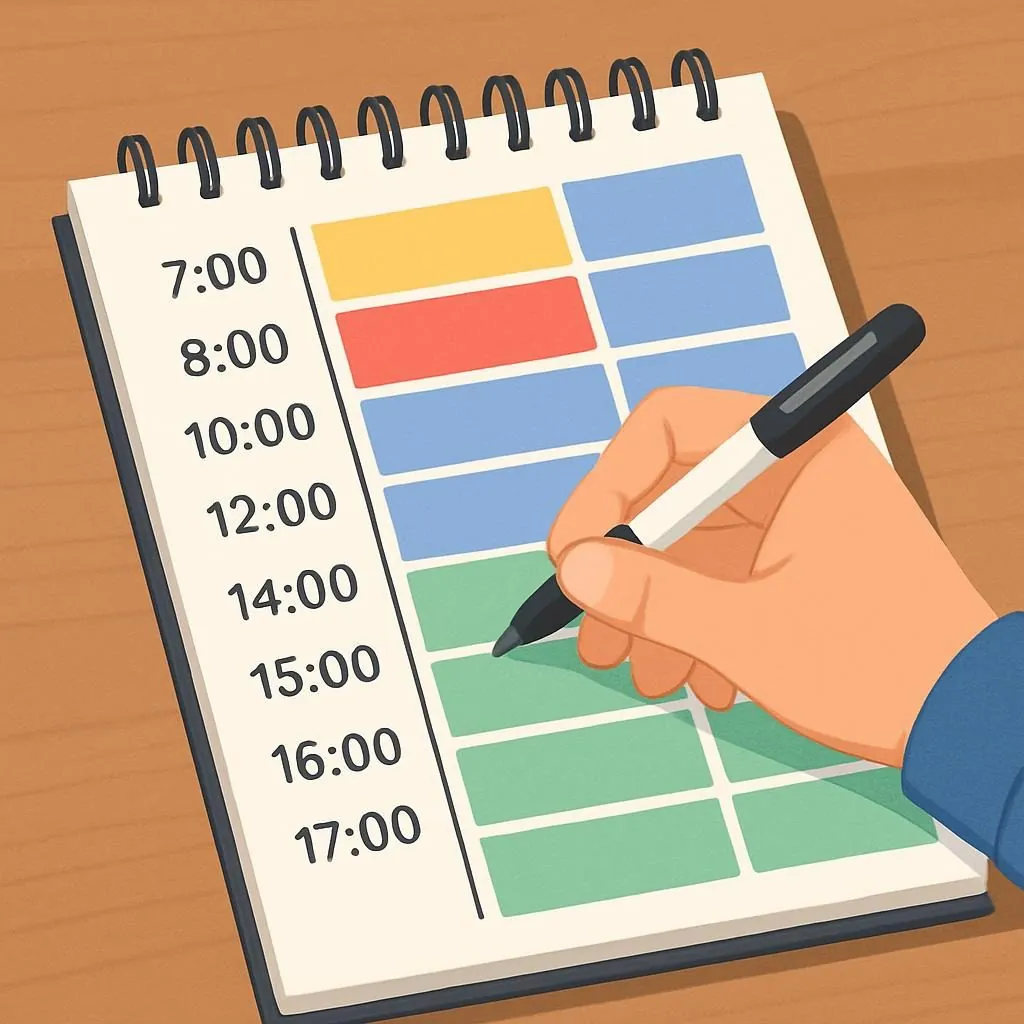
Using your audit data, design an ideal week. Place deep work blocks during your peak energy hours. Batch all communication (email, Slack, calls) into two dedicated windows. Add 15-minute buffers between blocks—that white space isn’t waste, it’s your reset. Add one 60-minute “flex block” each day to absorb overflow. Color-code your calendar (red: deep work, blue: meetings, green: admin).
Week 3 — Run the Experiment
Follow your template with an 80% target—not 100%. Note every deviation and why it happened. Was it an emergency? A weak boundary? A block duration that was unrealistic? Protect your single most important block ruthlessly. Let everything else flex. The deep work block is sacred; the admin block is negotiable.
Week 4 — Optimize and Communicate
Compare your Week 4 output to Week 1. Adjust block durations based on what you’ve learned. Tell one colleague or team member what you’re doing and why—social accountability dramatically improves adherence. Consider whether AI scheduling tools like Reclaim.ai would reduce your planning overhead. Establish a 30-minute Sunday planning ritual to set next week’s blocks.
Before you close this tab: open your calendar and block 90 minutes tomorrow morning. Label it with the specific project, not “Deep Work”—specificity creates commitment. Decline any meeting request that falls in that window. That’s it. That single block, protected, is the beginning of everything.
Real Results: Three Case Studies
SaaS Founder: From 80-Hour Weeks to a Strategic Company
A 12-person SaaS startup growing 200% year-over-year. The founder was working 80-hour weeks and still felt behind. The problem wasn’t effort—it was that all her cognitive bandwidth was consumed by reactive communication.
Implementation: No meetings before 10am, hard stop at 4pm. Monday/Wednesday/Friday: operations and product. Tuesday/Thursday: sales and hiring. Every day started with 90 minutes of protected strategy work.
Digital Agency: From Firefighter to Operator
A 15-client digital marketing agency. The owner was “putting out fires” every day instead of actually running the business. Team morale was low, client retention was suffering.
Implementation: Each major client got two dedicated 90-minute blocks per week (not scattered throughout every day). All email handled in two 45-minute windows. No exceptions except genuine emergencies—defined in advance as “the site is down” not “the client wants a color changed.”
The Dark Side: When Time Blocking Goes Wrong
I’d be doing you a disservice if I sold this as frictionless. It isn’t. Here are the failure modes I’ve seen most often—and what to do about each.
The Over-Optimization Trap
Some people spend more time perfecting their time-blocking system than doing the work it was designed to protect. This is productivity theater—it feels productive because it’s organized and color-coded and involves satisfying calendar moves. It produces nothing.
Fix: Set a hard 30-minute limit on weekly planning. Your Sunday planning session ends at 30 minutes whether you’re done or not. An imperfect plan executed is worth ten perfect plans admired.
Burnout via Packing
High-achievers often discover they can fit more into a day once they time-block it—then use that discovery to fill every remaining gap with work. The system designed to protect recovery becomes a machine for eliminating it. A 2024 APA study found that 23% of new time-blockers initially increased their work hours before learning to use the system for balance instead of capacity maximization.
Fix: Block personal time with the same ferocity as your deep work. Exercise, dinner with family, reading for pleasure—these blocks are non-negotiable. Elon Musk blocks sleep. That’s not a joke; it’s the right philosophy.
Social Resistance
Colleagues who are used to your availability will push back. “You’re not responding.” “You’re being difficult.” “I just need five minutes.” These aren’t emergencies—they’re habits that benefited from your old availability.
Fix: Don’t hide your system. Explain it. Specificity disarms resistance: “I’m heads-down on the product spec until 11am—I’ll be available after that and will respond within the hour.” Most people respect boundaries when given context. And the ones who don’t… that’s a different conversation.
The Accessibility Problem
Neurodivergent workers—particularly people with ADHD—have wildly different responses to rigid time structures. Some find time blocking transformative because it externalizes the executive function that their brain struggles to supply internally. Others find hard time constraints create more anxiety than they resolve.
There’s no universal prescription here. If you have ADHD, consider starting with longer, looser blocks and experimenting with what creates clarity versus friction. The goal is sustainable focus—not a rigid system you abandon in two weeks.
If you’re implementing time blocking organization-wide, do not mandate identical systems. Provide the framework, share the principles, offer coaching—and then let people adapt it. Surveillance-flavored implementations (AI tools that report blocking compliance to managers) create resentment and destroy the psychological safety that makes deep work possible in the first place.
Best Tools in 2026 (Including What Shut Down)
Quick note before the list: Clockwise shut down on March 27, 2026. If you were using it, you need an alternative. Reclaim.ai and Motion are the two strongest replacements depending on your use case.
Google Calendar and a firm mindset beat an AI scheduling tool and no discipline, every time. Master the system manually first. Tools amplify habits that already exist—they don’t create them.
Quick Answers to the Questions Everyone Asks
The Verdict
Here’s the honest summary: time blocking is not magic. It will not compensate for a fundamentally broken workplace culture, an unmanageable workload, or the wrong job. No scheduling system fixes those things.
What it does do—and does reliably—is convert intention into architecture. The research on attention fragmentation is damning. Knowledge workers lose an estimated 2.1 hours daily to interruption and context-switching. That’s roughly 500 hours a year. Ten working weeks. Gone, not because people are lazy, but because the structure of modern work is designed to fragment rather than protect attention.
Time blocking is the structural fix. Not the only one—deep work protocols, async communication norms, and intentional meeting cultures all matter. But time blocking is the foundation all the others rest on. Without it, everything else is band-aids on a structural wound.
The billionaires aren’t right about everything. But on this? They figured something out decades ago that most people are only now discovering—and the cognitive research is unambiguously in their corner.
Start with one block. Tomorrow. 90 minutes. Your most important current project. Protect it like it matters. Because it does.
- Track your actual time for 3 days with Toggl Track (free)
- Identify your 2-hour peak energy window each day
- Block that window tomorrow for your #1 priority project
- Add 15-minute buffer blocks before and after
- Create two “communication windows” (email + Slack only)
- Tell one colleague about your new availability pattern
- Do a 10-minute Friday review: what worked, what didn’t?
- Repeat and refine for 30 days before judging the system
Ready to Architect Your Days Like This?
FutureNow covers evidence-backed productivity, focus science, and the systems used by high-performers. No filler, no fluff.
Explore FutureNow →5 Time-Saving Habits That Actually Reclaim Your Week in 2026
I Slept 4 Hours a Day for a Week —Here’s What Happened
How Tech CEOs Hack Their Bodies for Energy
Digital Detox: Deliberate Disconnection for Focus & Well-being
The Strange Morning Ritual That Boosts Creativity