
Hidden App Features Most People Never Find — And Exactly How to Use Them in 2026
You’re already paying for tools that can do far more than you’re asking of them. Here’s what’s buried inside Gmail, Notion, Spotify, Google Maps, and others — and why the gap between basic users and power users is wider than ever.
- Gmail’s operator search — combinable filters like
from:boss has:attachment is:unread— eliminates 80% of inbox hunt time. - Notion’s AI Agents (released Sept 2025) can execute multi-step workflows autonomously for over 20 minutes. Most users haven’t touched them.
- Spotify’s Private Session protects your algorithm from guilty-pleasure listening. It auto-resets after six hours.
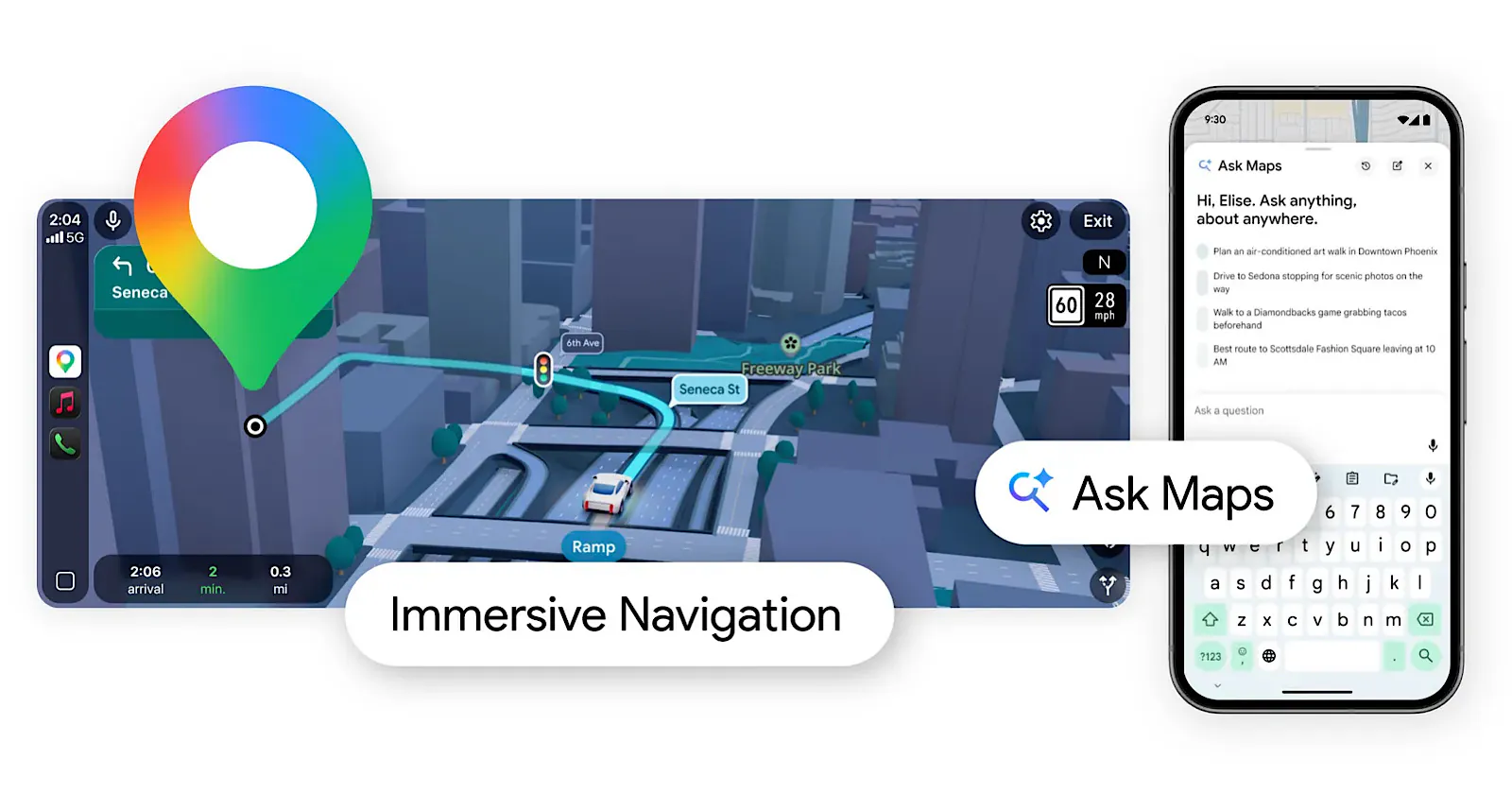
- Google Maps’ Ask Maps AI lets you request things like “quiet coffee shop with outlets and short lines” in natural language. It’s been live since early 2026.
- The features below are built-in, mostly free, and already on your device. There’s nothing to install.
Should You Even Do This?
Not every tip in this article is for everyone, and it would be dishonest to pretend otherwise. Here’s a fast filter:
| Your situation | Verdict | Where to start |
|---|---|---|
| You spend 30+ minutes daily managing email | ✓ Proceed immediately | Gmail search operators |
| You use Notion for work but mostly just write notes | ✓ Proceed | Notion AI Agents + webhook automations |
| Your Spotify recommendations feel broken or stale | ✓ Proceed | Private Session + search filters |
| You use Google Maps but never get personalized results | ✓ Proceed | Ask Maps conversational AI |
| You have one phone and already know every setting | — Skip the basics | Jump to the integration section |
| You’re looking for new apps to install | ✗ Wrong article | This is about tools you already have |
Why Hidden Features Stay Hidden
Software companies face a genuine dilemma: every feature they add to the main interface competes with every other feature for attention. The result is that many of the most powerful capabilities in the tools you use daily — the ones engineers spent months building — sit behind secondary menus, keyboard shortcut sequences, or settings screens that most users never visit.
This isn’t cynicism. It’s design reality. When Gmail introduced confidential mode, it didn’t push a banner in front of every user. When Notion released AI Agents in September 2025, it went out in a changelog that most people skimmed past. When Spotify built search operators capable of filtering by genre and year simultaneously, it added no onboarding for it. The assumption is that power users will find these things. In many workflows, they don’t.
“The most expensive features are the ones you’re already paying for but never using.”
What follows is a curated tour of the most consequential hidden features in the apps you’re most likely already using — not hypothetical capability, but real, currently-available functions with specific steps to activate them.
Feature 1: Search operators that actually work like a database query Free
👉 In one sentence: Gmail’s search bar can combine Boolean logic, date filters, and attachment types in a single query — most users treat it like a basic keyword box.
Most people type a name or a subject line into Gmail search and scroll. That’s retrievable from the mid-2000s. What’s actually available in 2026 is closer to a SQL query built for email.
The most useful operators, and how they combine:
from:boss@company.com has:attachment is:unread— Unread emails from one person with files attachedsubject:invoice after:2026/1/1 older_than:30d— Invoices from this year that arrived more than a month agofilename:pdf from:legal OR from:contracts— PDFs from either of two senders-label:promotions is:starred— Starred mail that isn’t in promotionssize:5mb older_than:1y— Large emails older than a year (storage audit)
The real power comes from the Boolean layer. The OR operator retrieves from either sender, -keyword excludes terms, and has:attachment narrows precisely. These can be chained with no practical limit. Once you’ve built a useful query, save it as a Gmail filter and it becomes a permanent folder.
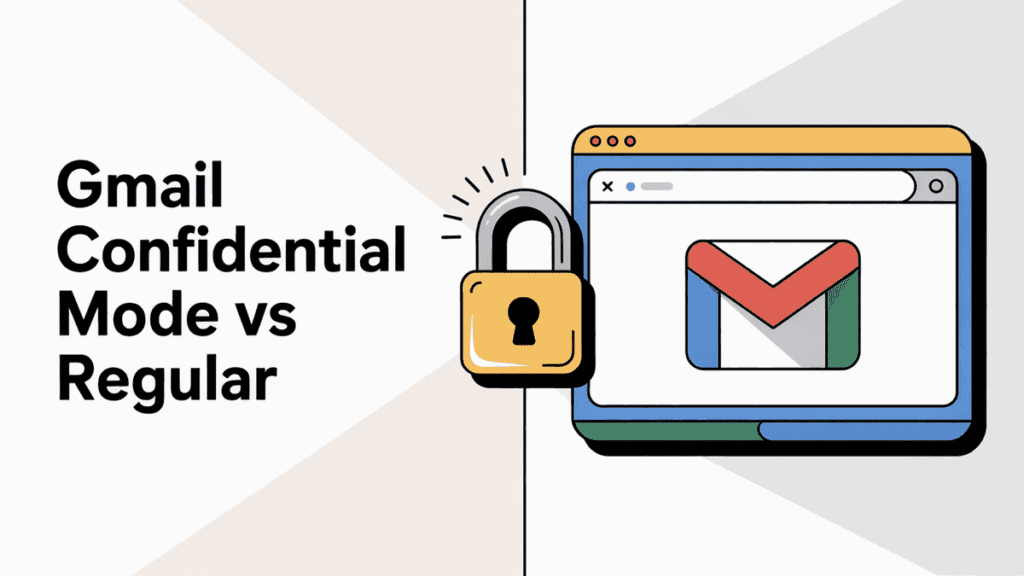
Feature 2: Confidential Mode for sensitive information Free
Confidential mode allows you to send emails that expire and cannot be forwarded, printed, copied, or downloaded by the recipient. The option sits inside the compose window — click the padlock icon at the bottom toolbar. You set an expiration date (1 day to 5 years) and optionally require SMS verification.
Feature 3: Gmail’s Gemini AI Overview in Search AI (2026)
The largest Gmail update in years, rolled out in early 2026, adds Gemini-powered AI Overviews to email search. Instead of scrolling through results, you can ask: “What did the legal team send me about the Q1 contract last quarter?” and get a synthesised answer drawn across multiple threads. This works with natural language questions and is available in Workspace accounts first, expanding to personal Gmail accounts progressively throughout 2026.
- Open Gmail on desktop or mobile
- Click the search bar
- Type a natural language question (not just keywords)
- If available in your account, an AI Overview panel appears above standard results
- Click any result to verify the source before acting on it
Feature 4: AI Agents — multi-step autonomous workflows AI • Business Plan
👉 In one sentence: Notion’s AI Agents can work autonomously for over 20 minutes across hundreds of pages, executing workflows you’d normally handle manually.
Released in Notion 3.0 on September 18, 2025, AI Agents represent a meaningful shift — not a chatbot, but a system that can plan and execute. Your Personal Agent can create databases, update content across a workspace, research using connected apps including Slack, Google Drive, and GitHub, and compile results without requiring you to supervise each step.
Practical examples of what it handles well:
- Compiling customer feedback from a CRM-connected database into a structured weekly report
- Scanning meeting notes from the last month, extracting action items, and adding them to a tasks database
- Drafting an onboarding doc by pulling from existing process pages across your workspace
- The task spans 5+ pages or databases
- You repeat it weekly or monthly
- It involves reading + restructuring, not creating from scratch
- You have a Business or higher plan
- The task needs real-time external data (use web search instead)
- You’re on Free or Plus plan (not available)
- Output will be shared without human review
- The task requires judgment calls unique to your role
Feature 5: Webhook automations — connect Notion to anything Plus plan +
Notion’s webhook action, available as of late 2025, lets any database event trigger external services without a third-party connector like Zapier. When a “Contract Approved” status is set, a webhook can fire to update a HubSpot contact, post to a Slack channel, or add a row to a Google Sheet — all natively, from inside Notion.
- Open a Notion database and click
⋯ → Automations - Choose a trigger: property change, new entry, or date-based
- Add an action → select
Send webhook - Paste your endpoint URL (from Zapier, Make, or a custom backend)
- Map the Notion properties you want to pass as payload fields
- Test with a single database row before applying broadly
Feature 6: Speed capture via iPhone Shortcuts Free
Most Notion users open the app, navigate to the right page, and then type. This takes 10–20 seconds and is enough friction that quick ideas often don’t get captured. The fix is a Shortcuts action. On iPhone, add “Create page in Notion” or “Append text to page” to Shortcuts, then add it to your Home Screen or Back Tap. A single physical tap opens a text box, you type or dictate, and it lands directly in your Notion inbox or a designated capture page.
Feature 7: Private Session — protect your recommendation algorithm Free
👉 In one sentence: Private Session prevents any listening in the next six hours from affecting your recommendations or appearing in friends’ feeds.
Spotify’s algorithm is trained on everything you play, including the playlist you run at a dinner party or the guilty-pleasure track you wouldn’t put on a public queue. Private Session puts a wall between those moments and your taste profile.
- Tap your profile image on the Spotify home screen
- Select
Settings - Tap
Privacy and Social - Toggle on
Private Session - A lock icon appears in the Now Playing bar confirming it’s active
- Session ends automatically after six hours — no manual reset needed
Feature 8: Search operators for precise music discovery Free
Spotify’s search bar accepts structured queries that most users never try. The format genre:indie-folk year:2018-2022 returns tracks matching both criteria — far more targeted than browsing genre playlists. You can combine genre, year range, and artist name in a single search. This is particularly useful when you know the emotional territory you want but can’t name specific tracks.
Feature 9: AI Playlist — describe what you want in plain language AI • Premium
As of April 2025, Spotify’s AI Playlist feature is available in over 40 markets including the US, UK, Canada, and Australia. It builds a playlist from a text prompt: “high-energy songs for lifting weights” or “melancholic indie for a rainy afternoon.” You can iterate with follow-up messages: “more upbeat” or “add more 90s tracks.” The results draw from your listening history and introduce new artists alongside familiar ones.
- Open the Spotify mobile app
- Go to
Libraryand tap the+icon - Select
AI Playlist - Type a descriptive prompt — genre, mood, activity, or era work best
- Refine with follow-up text if needed
- Tap
Createto save to your Library
Feature 10: Ask Maps — conversational AI search AI • 2026
Google Maps has more than 2 billion users, and the vast majority use it for A-to-B navigation. What arrived in early 2026 is a Gemini-powered conversational layer called Ask Maps, which accepts natural language queries well beyond simple place searches.
You can ask: “Find a quiet coffee shop with outlets nearby and short lines” or “Create a road trip itinerary with three stops including EV charging.” The system factors in real-time wait times, parking availability, and personalised recommendations based on past searches.
Feature 11: Live View AR navigation in unfamiliar areas Free
When walking in an unfamiliar city, most people stare at their map trying to figure out which direction they’re already facing before they start moving. Live View solves this: hold your phone’s camera up, and Maps overlays directional arrows and street names directly onto the real-world view through augmented reality. It was refined in 2026 with significantly better landmark recognition. Activate it by starting walking navigation, then tapping the person icon that appears in the bottom right of the navigation screen.
Feature 12: Back Tap — assign any action to two or three taps on the back of your phone Free
👉 In one sentence: Back Tap lets you trigger any Shortcut, system function, or app action by double or triple-tapping the back of your iPhone — no screen interaction required.
This feature, buried inside Accessibility settings, is one of the most practically useful things Apple has shipped in years and remains one of the least discovered. Common use cases: double-tap to activate the flashlight, triple-tap to launch a Shortcut that appends to your Notion capture page, or two taps to take a screenshot without touching the side buttons.
- Go to
Settings → Accessibility → Touch - Scroll to the bottom and tap
Back Tap - Tap
Double TaporTriple Tap - Choose any system action or custom Shortcut
- Works through most cases — no naked phone required
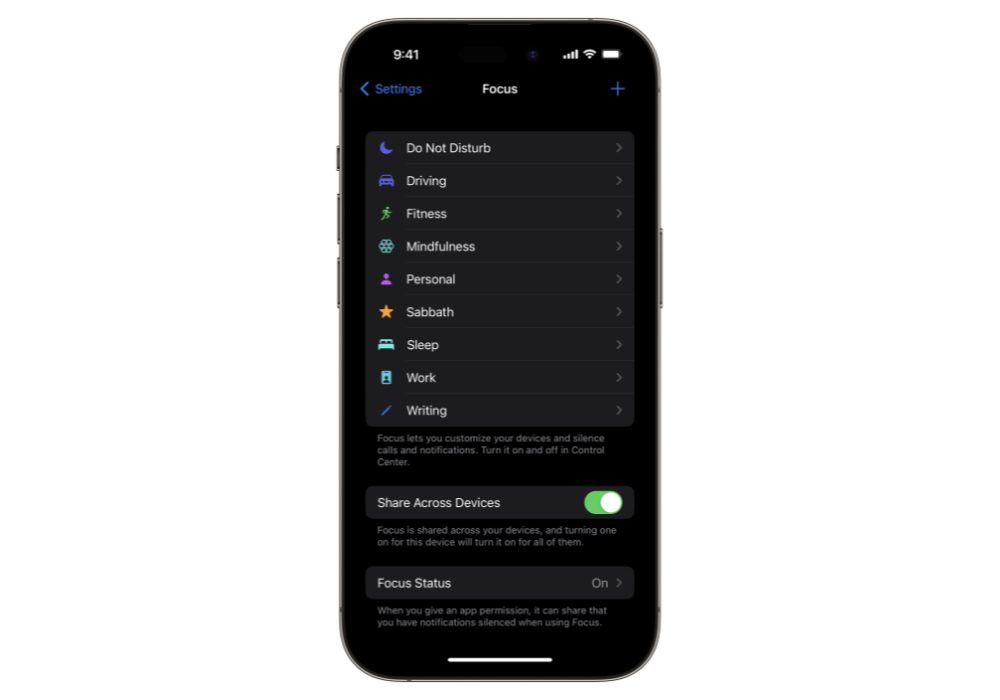
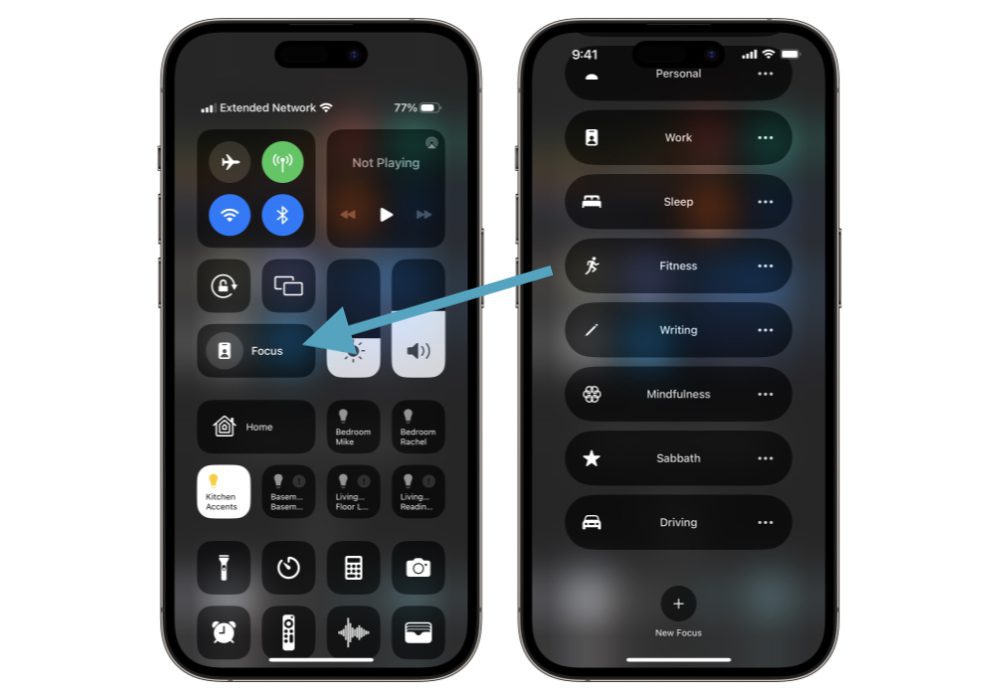
Feature 13: Focus Modes — context-specific notification filtering Free
Focus is not just Do Not Disturb with a new name. Each Focus mode can specify exactly which apps are allowed to show notifications, which contacts can break through, which Home Screen pages appear, and which Lock Screen layout activates. You can create a “Deep Work” Focus that hides social apps entirely and only surfaces messages from one person. It can activate automatically when you arrive at a specific location or open a specific app.
Feature 14: Screen Distance — automatic eye strain protection Free
Added in iOS 17 and still underused in 2026, Screen Distance uses the TrueDepth camera to detect when you’re holding your phone closer than 12 inches and displays a gentle full-screen reminder. It was built primarily for children but is effective for anyone doing long reading sessions. Enable it under Settings → Screen Time → Screen Distance.
How This Actually Works Together
These features compound when you think about them as a system rather than individual tips. Here’s a realistic daily workflow that connects four of the tools above:
- 6:45 AM — Capture (Back Tap + Notion): A thought you wake up with gets triple-tapped into your Notion capture page before you’ve unlocked your phone fully. No app navigation.
- 8:00 AM — Inbox (Gmail AI Overview): Ask your Gmail search “What requires my decision today?” and let Gemini surface the threads that matter. Time spent: under 3 minutes.
- 8:30 AM — Deep Work (Focus Mode + Spotify): Activate your “Deep Work” Focus, which hides all apps except your browser and Notion. Start a Spotify Private Session and play a genre:instrumental+work session without affecting your taste profile.
- 12:30 PM — Lunch Navigation (Google Maps Ask Maps): Ask “quiet place to eat near me, not a chain, under 15-minute walk” and get a result that accounts for current wait times.
- 5:00 PM — Automation Check (Notion Webhook): Any database updates that hit a “Done” status have already fired their webhooks — your Slack channel was updated automatically. You review, not manage.
The integration type here is mostly semi-automated: you trigger things, but the apps do the work. The friction points are setup time (Back Tap takes two minutes, webhooks take fifteen) and the fact that some AI features are still rolling out regionally. Data flows from your device to each service independently — these tools don’t talk to each other unless you use Notion’s webhook layer to connect them.
Real Limitations — What These Features Won’t Do
Every piece of content about hidden app features tends to oversell. Here’s the honest version:
- Notion AI Agents require a Business plan (currently $18/user/month). If you’re on Free or Plus, these features are locked. The ROI case is strong for teams but questionable for solo users doing simple tasks.
- Gmail’s AI Overview is still rolling out and is not available in all regions or all account types as of May 2026. If you don’t see it, check back in Q3 2026.
- Ask Maps works best in dense urban environments. In rural areas or smaller cities, the conversational layer may return fewer useful results and fall back to standard search behavior.
- Spotify’s AI Playlist is Premium-only. On the free tier, you can still use search operators and Private Session.
- Back Tap accuracy varies with phone cases. Thick rubber cases can reduce tap detection sensitivity. Test with your specific case before relying on it for critical shortcuts.
- Notion webhooks require a webhook endpoint — either a service like Zapier or Make, or a custom server. If you have neither, the feature is inaccessible without technical setup.
Frequently Asked Questions
Final Thought
Here’s the uncomfortable truth about hidden app features: the reason they stay hidden isn’t that they’re obscure. It’s that discovering them requires a specific kind of friction — the deliberate decision to open a settings menu or read a changelog rather than use the app for its immediate purpose.
Most people will read this article, nod at the Gmail operators section, use Private Session once, and go back to their existing habits. That’s not criticism — it’s pattern recognition. Behavior change without a trigger doesn’t stick.
The features worth implementing are the ones that solve an active irritant in your daily workflow. If you spend 25 minutes every week searching your inbox for files from one person, Gmail operators will change that permanently in ten minutes of setup. If your Spotify recommendations have been inexplicably broken for months, Private Session may be the fix. The rest can wait.
The real trade-off isn’t time-to-setup vs. time-saved. It’s the choice between using tools at the level they were designed for versus the level you happen to have discovered. Both are valid. But the gap between those levels is wider in 2026 than it has ever been — because AI-powered capabilities don’t announce themselves.
Sources
Sept 2025
Sept 2025
April 2026
Updated 2025