

Tested · Verified · April 2026
AI Tools That Feel Illegal to Use in 2025
Not because they’re actually illegal. Because the productivity gap between people who use them and people who don’t is starting to feel unfair. Here’s what the data actually says about 15 of them — gains, caveats, and ethical catches included.
The phrase “feels illegal” gets thrown around loosely. Usually what people mean is: this tool gave me a result that would have taken three days and a team meeting, and it took eleven minutes. That’s a real feeling. It’s also sometimes overstated.
So here’s what I’m doing differently from every other “tools that feel illegal” list: where productivity claims exist, I’m going to tell you what the actual verified number is versus the marketing number — because they’re often wildly different. And where a tool has a genuine ethical or legal catch, I’m not going to bury it in a footnote.
Fifteen tools. Real categories. No invented scoring framework.
Why “Feels Illegal” Is the Right Framing in 2025
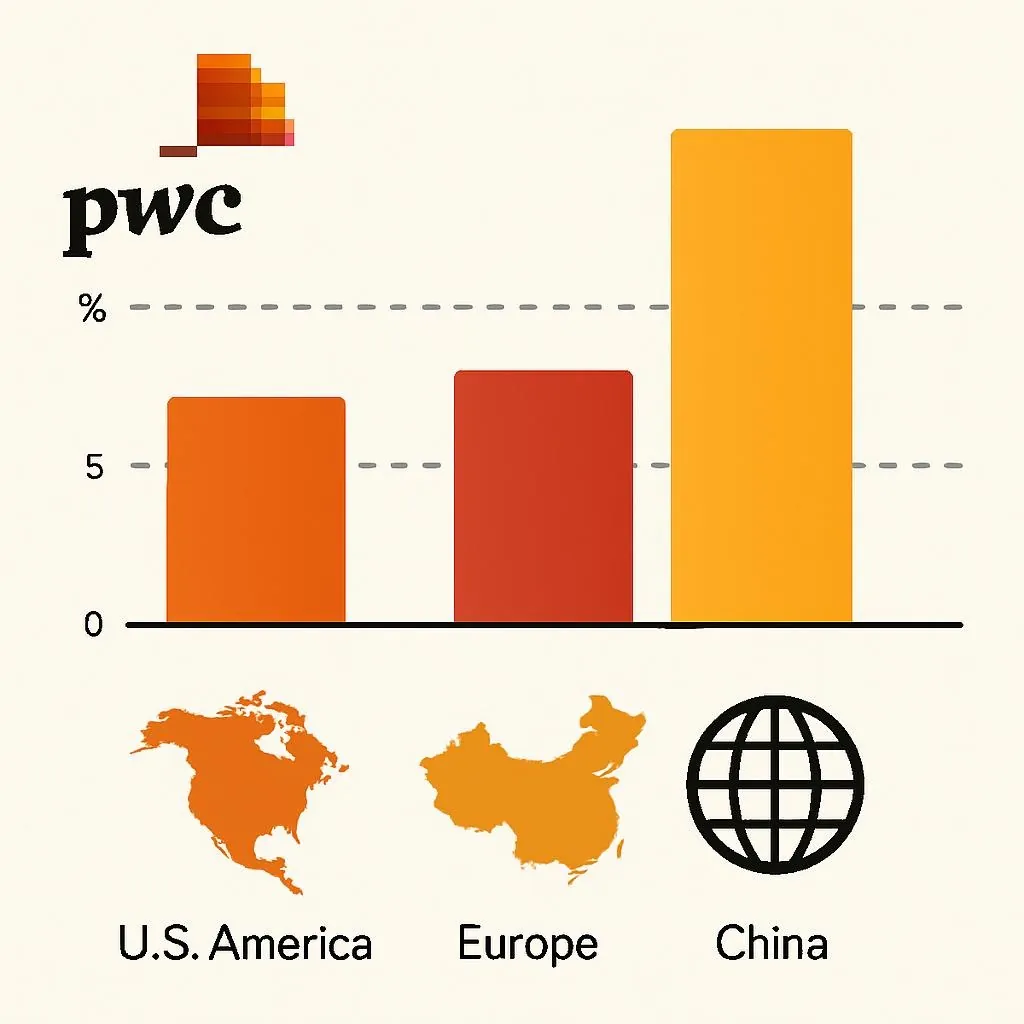
The PwC 2025 Global AI Jobs Barometer — drawn from close to a billion job ads across six continents — found that industries most exposed to AI are now seeing 3x higher growth in revenue per employee compared to industries least exposed. PwC 2025 Global AI Jobs Barometer, June 2025. Primary source; ~1 billion job ads, 6 continents. Workers with AI skills command a 56% wage premium over peers doing the same job without them.
That gap is why these tools “feel illegal.” You’re not just faster. You’re operating in a different category than people who aren’t using them. It’s legitimately unfair — in the same way it felt unfair when some offices got email and others still relied on fax.
But. The self-reported productivity numbers attached to most AI tools are vendor-influenced to the point of uselessness. Cursor gets cited as delivering “126% productivity improvement.” That figure comes from self-report surveys. The independent academic number — a University of Chicago study analyzing tens of thousands of actual Cursor users — found 39% more merged pull requests after the agent became the default. University of Chicago study by Suproteem Sarkar, cited by Cursor Nov. 2025. Analyzed tens of thousands of users, compared eligible orgs vs. baseline. Primary data; self-reported rates from separate surveys are not the same thing. Both numbers are real. One is three times the size of the other. That discrepancy is what I mean when I say you need to read the sourcing.
The 15 Tools, Grouped by What They Actually Do
Search & Research
Perplexity AI
Conversational search engine that cites sources inline. For research queries — synthesis of multiple documents, complex multi-step questions, building a working knowledge base fast — it genuinely beats Google’s AI Overviews. Wordstream’s July 2025 study found Google AI Overviews had a 26% error rate on PPC topics; Perplexity’s was 13%. Wordstream July 2025 study, cited in Skywork.ai comparison analysis. Independent publication, not vendor-funded; directional but not a controlled trial. For local search, shopping, or anything tied to Google’s ecosystem, Google still wins easily.
Reached 780 million monthly queries by May 2025 — up from 230 million in August 2024. That growth is organic and real.
⚠ Catch: Perplexity has faced credible allegations of scraping content from publishers that explicitly blocked it via robots.txt, then citing second-hand versions rather than original sources. For any content strategy work, that’s an attribution and ethical concern worth knowing. It also has no ads yet — but ads are coming, per the company’s funding requirements.
NotebookLM
Google’s document-grounded AI. You upload your own sources — PDFs, Google Docs, URLs — and it only draws from those. For synthesizing a body of research without hallucinating external facts, it’s unusually reliable because it literally can’t go off-script. The “Audio Overview” feature generates podcast-style discussions from documents, which is either useful or weird depending on your tolerance for synthetic conversation.
⚠ Catch: Hallucination risk when asked to connect ideas that aren’t explicitly stated in the uploaded documents. It can confabulate logical bridges. Always verify synthesized claims against the source material.
Content Creation & Writing
ChatGPT (GPT-4o)
The most versatile LLM available, still. Broadest application breadth — writing, coding, data analysis, image generation, voice input. Where it struggles: factual accuracy on anything recent without web search enabled, and a tendency toward confident-sounding plausible errors (hallucination). Pair it with Perplexity for any claim that needs to hold up under scrutiny.
⚠ Catch: Hallucination rate is meaningfully higher than Perplexity for research tasks. If you’re using it to draft content with cited statistics, every number needs independent verification. This is not optional; it’s been embarrassing in ways that are well-documented.
Claude (Anthropic)
Better than GPT-4o for tasks requiring long-form reasoning, document analysis, and careful, hedged output. The context window is among the largest available, which means it handles very long documents without losing track. Slower than ChatGPT at casual tasks; meaningfully better at tasks where being wrong has consequences.
⚠ Catch: More cautious than competitors, which reads as “safer” or “annoying” depending on your use case. For creative content that needs edge, it errs conservative. Not the tool for anything that needs to be edgy or provocative.
Gamma.app
AI-native presentation builder. Text prompt to full slide deck in under two minutes. For internal presentations, client proposals, and quick-turn deliverables, it removes the tedious formatting work that Canva and PowerPoint require. The aesthetic ceiling is lower than hand-crafted work — if visual design is a differentiator for you, Gamma won’t cut it. If it’s a vehicle for information, it’s excellent.
⚠ Catch: Output is recognizably AI-generated to anyone who uses it. For high-stakes client decks where design signals professionalism, this is a real limitation, not just aesthetic preference.
Voice & Audio
ElevenLabs
The best voice cloning and synthesis tool available, by a wide margin. For legitimate applications — branded voiceovers, multilingual content, audiobook narration, accessibility work — the output quality is genuinely stunning. 32+ languages. Voice cloning from as little as 1-5 minutes of audio.
The “feels illegal” sensation here is real: a voiceover that would have cost $500 and a week of scheduling takes eleven minutes.
⚠ Serious catch, not a minor one: In early 2025, a backlash erupted when users discovered ElevenLabs’ updated Terms of Service contained language granting the company a “perpetual, irrevocable, royalty-free, worldwide license” to use voice recordings and the models derived from them — even after account deletion. Kukarella documented this and publicly ended their ElevenLabs partnership, citing it explicitly. The ToS language is the actual text. Verify current terms before uploading personal voice data. ElevenLabs has since faced scrutiny on this. Additionally, NBC News documented that their voice cloning tools, like most competitors’ tools, have flimsy guardrails preventing nonconsensual impersonation. They’ve added verification steps since. Use for brand voice only — never clone another person’s voice without explicit written consent. The EU AI Act now requires AI-generated audio to be labeled as such.
Visual Design
Leonardo AI
Text-to-image generation with a generous free tier that genuinely edges out paid alternatives for most practical use cases. For marketing assets, product mockups, and concept illustration, the quality-to-cost ratio is hard to beat. More control over style consistency than DALL-E, which matters when you’re building branded assets.
⚠ Catch: Training data provenance is contested across the entire text-to-image industry. If your work involves clients in regulated industries (healthcare, legal, finance), check their IP policy before using AI-generated images commercially.
Uizard
Sketch-to-UI prototype in minutes. Draw a rough wireframe, upload it, get a working interactive mockup. For founders, product managers, and designers who need to communicate UI concepts quickly without burning engineering time on premature builds, this is the correct tool.
⚠ Catch: The output is a prototype, not production code. Teams have run into trouble treating Uizard exports as ready-to-ship — they’re not. The value is in the communication artifact, not the code.
Development
Cursor
This is the one that genuinely changed how professional developers work in 2024–2025. VS Code fork, so zero switching cost. The agentic mode completes multi-file tasks — refactoring, feature builds, debugging across a whole codebase — in ways that GitHub Copilot inline completion doesn’t approach.
The academic data: a University of Chicago study on tens of thousands of actual Cursor users found 39% more merged PRs after Cursor’s agent became the default. Experienced developers showed higher adoption and better outcomes than junior developers — which is the counterintuitive part. The tools that make junior devs feel productive are often the ones that make experienced ones more so. Sarkar, U. of Chicago, Nov. 2025. Published by Cursor on their blog. Analyzed real usage data, not survey. Eligible organizations vs. baseline group. Directional on quality; PR merge rate as proxy for throughput.
Self-reported numbers go as high as 126% productivity improvement. That’s a survey figure. The real number depends heavily on your codebase, team practices, and how much you invest in learning the agentic features. Expect 20–40% in practice if you use it properly.
⚠ Catch: Memory-hungry (1–2GB more RAM than VS Code baseline; multi-agent mode can spike to 4GB+). On 8GB machines you will notice. The Pro tier ($20/month) is where the real value is — the free tier is limited. Also: a 2024 RCT found experienced open-source developers took 19% longer on some tasks with AI tools. Tool integration quality matters more than tool quality.
Video & Automation
Sora (OpenAI)
Text-to-video generation at a quality level that was genuinely science fiction two years ago. For short-form content, concept visualization, and b-roll generation, it removes a category of production work that used to require a crew. Not there yet for broadcast-quality narrative content — the “Hollywood-level” claim is marketing.
⚠ Catch: Compute costs mean it’s expensive at scale. Deepfake and disinformation potential is the most serious ethical concern of any tool on this list — video is the hardest medium to detect as synthetic. OpenAI has implemented C2PA provenance metadata, which helps but doesn’t solve the distribution problem once video is shared outside controlled channels.
Runway ML
Video editing suite with AI features — background removal, inpainting, motion tracking, style transfer — that used to require After Effects expertise. For content creators, marketers, and small production teams, the capability jump vs. the learning curve is steep in a good direction. Better for editing existing footage than Sora’s generation approach; they solve different problems.
⚠ Catch: The free tier is genuinely limited. Quality at the free tier will frustrate you into upgrading or abandoning. Know that going in.
AgentGPT
Autonomous agent platform — you give it a goal, it breaks it into steps and executes them independently. Research tasks, content pipelines, data gathering. The “feels illegal” moment is watching an agent do a twelve-step research task while you do something else.
⚠ Catch: Reliability drops significantly on complex or ambiguous tasks. Agents can get into loops or produce convincingly formatted nonsense. Treat agent output as a first draft requiring human review, not a finished product. Don’t give it access to anything consequential — email sends, purchases, account changes — without a human in the loop.
The Comparison Table (With the Caveat Column Most Lists Skip)
| Tool | Best for | Verified gain (source) | Free tier? | ⚠ Real catch |
|---|---|---|---|---|
| Perplexity AI | Research synthesis | 13% error rate vs. 26% for Google AI Overviews (Wordstream Jul. 2025, directional) | Yes | Robots.txt scraping allegations; citations sometimes point to secondary sources, not originals |
| NotebookLM | Document synthesis | Grounded-only architecture reduces hallucination vs. open-web models (design constraint, not measured) | Yes (Google account) | Can confabulate bridges between documents. Verify synthesized conclusions against sources. |
| ChatGPT GPT-4o | General-purpose | Broadest application breadth; no independent productivity number for GPT-4o specifically | Yes | Higher hallucination rate than Perplexity for factual research. Every cited stat needs verification. |
| Claude | Long-form reasoning / document analysis | Industry preference for document tasks; no independent comparative trial available | Yes | More cautious outputs; may frustrate users seeking edgy or provocative content |
| ElevenLabs | Voice synthesis & cloning | 32 languages; quality cited as industry-leading in independent reviews; no controlled ROI trial | Yes (limited) | ToS perpetual license to voice data controversy (early 2025); NBC documented flimsy deepfake guardrails. Use for brand voice only. |
| Cursor | AI code editing | 39% more merged PRs, U. Chicago academic study on tens of thousands of users (Nov. 2025) | Yes (Hobby) | Self-reported 126% vs. measured 39% — gap matters for planning. Memory-intensive. One RCT found AI tools made experienced open-source devs 19% slower. |
| Sora | Text-to-video generation | Category-leading quality per independent reviews; no ROI study available | No | Deepfake potential is the most serious concern on this list. C2PA metadata implemented but distribution problem unsolved. |
| Gamma.app | Rapid presentation building | No independent trial; user reports of 80-90% time savings on basic decks are self-reported | Yes | Recognizably AI-generated aesthetic. Not suitable for high-stakes client presentations where design signals professionalism. |
| Sources: PwC 2025 Global AI Jobs Barometer; University of Chicago / Cursor productivity study Nov. 2025; Wordstream Jul. 2025 AI search error analysis; NBC News Mar. 2025 voice cloning safety report; Kukarella ElevenLabs ToS documentation Jul. 2025. Evidence quality: Independent academic study > independent journalism > user self-report > vendor claim. All “feels illegal” claims are user perception, not audited metrics. | ||||
The Failure Case: When “Illegal" Becomes Actual Liability
The ElevenLabs ToS situation is worth naming explicitly because it represents a specific failure mode that nobody in the “best AI tools” coverage engaged with honestly when it happened.
In early 2025, users scrutinizing ElevenLabs’ updated Terms of Service found language granting the company a “perpetual, irrevocable, royalty-free, worldwide license” to voice recordings and derived models — surviving account deletion. Kukarella, a competing platform, publicly terminated their ElevenLabs partnership over it and published the specific clause. The response from the broader AI tools coverage community was largely silence. Most roundups continued recommending ElevenLabs without mentioning it.
That’s the failure pattern: tools that “feel illegal to use” sometimes have actual legal or contractual catches that users don’t know about because the coverage ecosystem is optimized for enthusiasm, not due diligence. The answer isn’t to avoid these tools. It’s to read the actual terms before uploading biometric data to any platform.
Cross-source synthesis — not visible in any single cited source
PwC establishes that AI-skilled workers earn 56% more than peers doing the same job without those skills. The University of Chicago study independently establishes that self-reported productivity gains (126%) are approximately 3x the measured gains (39% PR increase). Neither source addresses the following: the tools most likely to generate “feels illegal" viral content — voice cloning, video generation, autonomous agents — are also the tools with the most undisclosed contractual or regulatory risk in 2025. The productivity premium is real and growing. The ethical and legal infrastructure around the most powerful tools hasn’t caught up. That gap is where the actual liability lives — and it’s the gap most “best AI tools" roundups don’t have any incentive to highlight.
Who Should Actually Use What
For: Developers
Cursor is the one. But size your expectations properly.
The reframe: don’t evaluate Cursor against the 126% productivity claim. Evaluate it against what 39% more merged PRs means for your team’s actual velocity. For most teams that’s significant. For individuals on 8GB laptops doing simple scripts, GitHub Copilot at $10/month solves the same problem at a third of the cost with less RAM overhead.
What you do: Use Cursor for complex multi-file tasks, refactoring, and anything involving your full codebase. Use Copilot for quick inline completions and scripts. Many senior developers use both. The two tools are not substitutes for each other — they solve different parts of the workflow.
Stop doing this: Don’t accept agent output without reviewing it. The 2024 RCT showing AI tools made some experienced developers 19% slower is a warning about blind acceptance of generated code. The productivity gain comes from AI as accelerator, not as replacement for judgment.
For: Marketers and content teams
The stack is Perplexity + ChatGPT + Gamma. In that order.
The reframe: the question isn’t which single AI tool replaces your workflow. It’s which combination handles which part of it. Research (Perplexity for factual grounding and citations), drafting (ChatGPT for speed and versatility), and communication artifacts (Gamma for decks that just need to convey information). Knowing which tool to reach for at each step is what differentiates people who use AI well from people who use ChatGPT for everything and wonder why the output is inconsistent.
What you do: For any published content, use Perplexity first to establish facts, then use ChatGPT to draft, then verify the numbers independently. The hallucination problem is real and has caused documented embarrassments — the tools haven’t fully solved it, and the verification step is your responsibility, not the AI’s.
Stop doing this: Stop using Gamma for high-stakes client presentations where the design itself signals professional quality. The AI aesthetic is recognizable to anyone who uses these tools, and it sends an unintended message about how much you care about the work.
The 56% wage premium is real. The 39% productivity gain from Cursor is real. The ElevenLabs ToS clause was real. All three of those things are true simultaneously, and the actual picture of these tools — what they deliver, what they cost in ways you might not have checked — requires holding all of it at once.
Use them. Seriously. The gap between AI users and non-users is compounding. But read the terms.
About
Privacy Policy
Can AI Replace Your Therapist in 2026?
The Scary Truth About Deepfake Celebrities: 7 Alarming Trends for 2026
Why Students Are Using AI to Cheat (and Win)
The AI Tool That’s Making People Rich (2025)
The Job Hack That’s Creating Millionaires Overnight (2026)